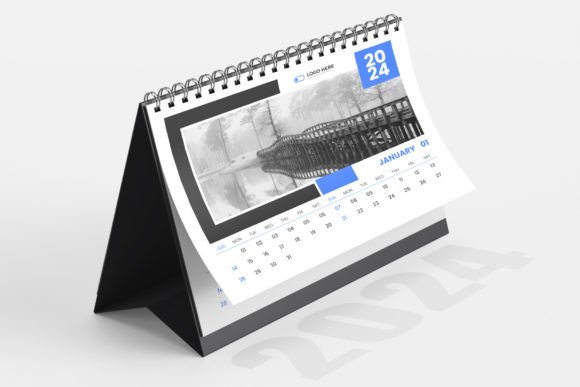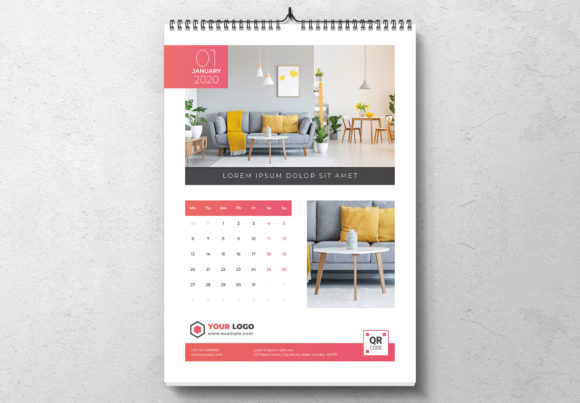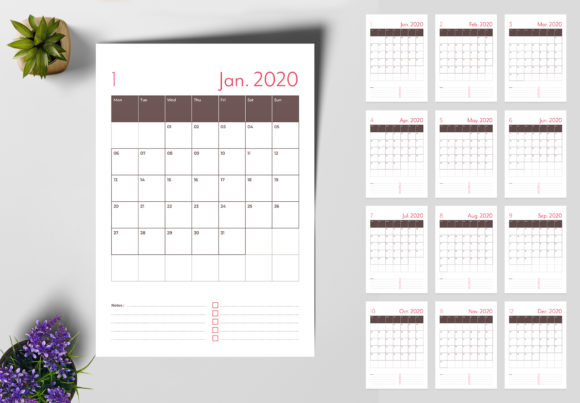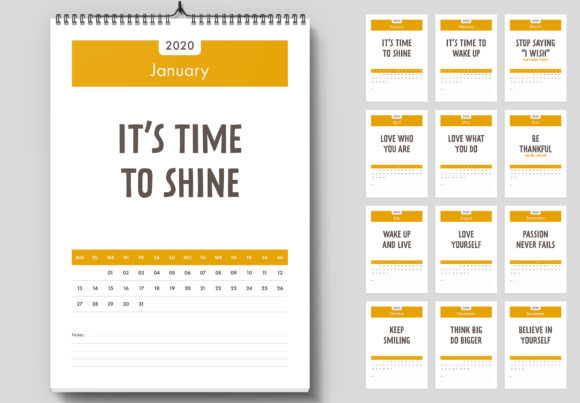
Streamline Your Year: The 2024 Wall Calendar Design Template
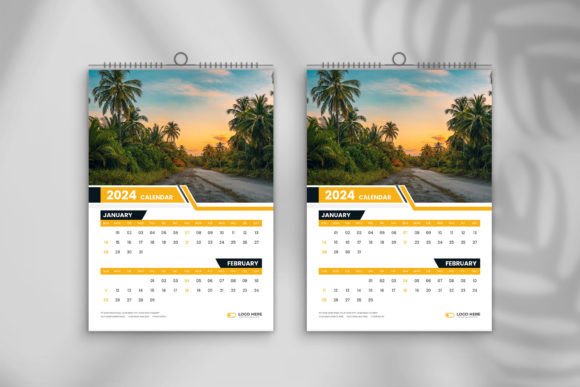
As we approach the final quarter of the year, the race to prepare for the upcoming calendar season begins. For graphic designers, small business owners, and creative entrepreneurs, this is a critical time to produce high-quality merchandise that resonates with clients. However, designing a calendar from scratch involves more than just placing dates on a page; it requires precise alignment, aesthetic consistency, and print-ready precision. This is where a robust 2024 Wall Calendar Design Template becomes an indispensable asset in your creative toolkit. Instead of wrestling with grid layouts and bleed settings, you can focus entirely on the creative elements that make your brand stand out.
Professional Grade Specifications for Flawless Output
The difference between an amateur project and a professional product often lies in the technical specifications. This particular template is built with the end-user in mind, ensuring that the transition from digital design to physical product is seamless. One of the most significant hurdles in print design is resolution; a blurry image can ruin an otherwise beautiful layout. This template solves that problem by offering High-Resolution images at 300 DPI. This is the gold standard for print media, ensuring that every line, text character, and background element is crisp and clear.
Furthermore, the template is set in RGB Color mode. While CMYK is traditionally used for offset printing, many modern digital printers and online print-on-demand services handle RGB files exceptionally well, often offering a wider color gamut. This allows for vibrant, saturated colors that pop off the wall. The print size is set to 11.69” x 16.54” (standard A3 size), which is large enough to be functional but fits easily into standard frames. Crucially, it includes 0.125-inch bleeds. This safety margin ensures that if the paper shifts slightly during the cutting process at the print shop, you won't end up with an unsightly white border on the edge of your design.
Unlocking Creative Freedom with Editable Files
A static PDF is often insufficient for designers who need to tailor every aspect of a project. This 2024 Wall Calendar Design Template includes Adobe Illustrator (.ai) CC and EPS CC files. This vector-based approach is a game-changer for customization. Because the files are fully editable, you are not locked into the original designer's color scheme or layout.
Imagine you are a branding agency creating a corporate gift for a client. You can easily swap out the background colors to match their specific hex codes, adjust the typography to align with their brand identity, and insert their photography directly into the composition. The ability to manipulate layers in Illustrator means you can move the date grid, resize the header image, or even alter the layout entirely to create a unique editorial design. This flexibility transforms a simple calendar template into a versatile design asset that can be reused for multiple clients or projects by simply changing the visual elements.
Typography That Speaks Volumes
Typography is the voice of your design, and choosing the right typeface can make or break the readability of a calendar. Since users will be glancing at this wall art every day for a year, the text must be legible from a distance. This template utilizes free fonts, a practical choice for both designers and clients. By using freely available typefaces, you eliminate the headache of font licensing issues for the end-user, making the product more accessible.
The included help file provides direct links to these fonts, ensuring you can maintain the intended aesthetic. When customizing, consider the mood you want to set. A sans serif font might offer a clean, modern look suitable for a tech startup's merchandise, while a serif font could lend a classic, sophisticated air to a photography calendar. If the calendar is for a bakery or a boutique, incorporating a subtle script font for the month headers can add a touch of elegance. The key is visual consistency; ensure that your font choices complement the imagery rather than competing with it.
Practical Applications Beyond the Wall
While the primary function is a wall calendar, the versatility of a high-quality template extends far beyond hanging on a nail. For small business owners, this template can serve as the foundation for a comprehensive marketing asset strategy. For instance, you can crop the monthly designs to create social media graphics. A "Save the Date" post for Instagram or a monthly planner graphic for Pinterest can be extracted directly from the calendar pages, ensuring your digital products match your physical merchandise.
Furthermore, the layout elements can be repurposed for packaging design. If you sell products that have seasonal variations, you can use the calendar artwork to create limited-edition packaging inserts or thank-you cards. Content creators and bloggers can use the template to create lead magnets—offering a free printable calendar page to email subscribers to grow their list. The high-resolution nature of the file means it is also perfect for posters or invitations for end-of-year events.
Streamlining Your Workflow
Time is the most valuable currency for a creative professional. By starting with a pre-formatted 2024 Wall Calendar Design Template, you bypass the tedious setup phase. There is no need to calculate the number of weeks in a specific month or manually align the grid lines for February through December. The structure is already there, allowing you to dive straight into the creative work.
This efficiency is vital for meeting tight deadlines, especially during the holiday rush. Whether you are a hobbyist creating a gift for family or a creative entrepreneur launching a product line, the included AI and EPS files ensure you are working with professional-grade modern typography and layout structures. The easy to customize nature of the file means that creating a personalized, print-ready calendar is no longer a week-long project, but something that can be accomplished in an afternoon.
Ultimately, a great design tool should remove friction from the creative process. This template provides the technical foundation—300 DPI, bleeds, and vector scalability—so you can focus on what matters most: creating beautiful, engaging visual content that your audience will appreciate all year long.